Choosing a robot dog for home security in 2026 requires more than comparing cameras, battery sizes, and futuristic designs. A useful robot dog for home security must detect unusual movement, navigate safely, protect recorded information, and communicate clearly with its owner. It should patrol a hallway without knocking over a child’s toy. It should also stop when a visitor enters an approved area.
Industry data shows why careful selection matters. The International Federation of Robotics, in its World Robotics 2024 service-robot report, identifies security and surveillance as established professional service-robot applications. However, the report does not isolate household robot dogs. That gap is important. Marketing claims may appear more precise than the available evidence. Buyers should examine independent testing, failure rates, software support, and repair policies.
Cybersecurity deserves equal attention. NIST’s IoT cybersecurity guidance recommends secure configuration, data protection, software updates, and controlled device access. ENISA’s threat reports also warn that connected devices can expand household attack surfaces when authentication and updates are weak. A barking alert means little if the owner cannot verify it securely.
Real experience reveals uncomfortable limitations. Slippery floors can reduce traction. Low light can confuse navigation. A loud motor may disturb sleeping family members. Battery life may fall during frequent patrols. These details matter more than a polished demonstration.
This guide compares sensing, mobility, privacy, reliability, emergency communication, and total ownership cost. It also questions optimistic specifications. The best choice is not necessarily the most advanced model. It is the model that performs consistently, explains its alerts, and fails safely when conditions become difficult.
Before choosing a robot dog, define the exact security problem at home. Is the concern a dark driveway, a detached garage, or an elderly family member needing a check-in? The FBI’s 2023 Crime Data Explorer shows that property crime patterns vary by location. National averages cannot describe your street. Review local incident data, blind spots, lighting, and entry points before comparing features.
Turn each concern into a clear use case. A perimeter patrol may require obstacle detection, low-light cameras, quiet movement, and scheduled routes. An indoor model needs safe navigation around stairs, children, and pets. For smoke or heat concerns, remember that NFPA recorded 374,300 home structure fires in the United States during 2022. A robot can provide visual confirmation, but it should not replace certified smoke alarms or emergency monitoring.
Check how the robot fits daily life. Can it reach the backyard after rain? Will it return to its charging station when the battery is low? Test alerts at night, not only in a showroom. Cybersecurity also matters; use unique passwords, automatic updates, and restricted account access. CISA’s guidance for connected devices emphasizes reducing unnecessary exposure and securing accounts. Motion is not intelligence. A camera may misread a curtain, a fox, or falling leaves. I would allow for mistakes, because real homes are untidy and imperfect. Choose measurable coverage over impressive demonstrations.
This planning chart compares common home-security needs with suitable robot-dog use cases on a 1–5 scale. Perimeter patrol and remote visual verification usually offer the strongest fit, while visitor interaction and stair navigation require more careful evaluation because performance depends on the home layout, autonomy features, lighting, connectivity, and local safety requirements.
Choosing a robot dog for home security requires more than checking its walking speed. Detection capability matters most. Look for a system combining RGB cameras, infrared imaging, LiDAR, and two-way audio. RGB helps identify faces and clothing in daylight. Infrared supports darker spaces. LiDAR can map walls, stairs, and moving obstacles, but it cannot confirm human identity.
The 2024 MarketsandMarkets mobile robots report projects strong market growth through 2029, driven partly by autonomous navigation and sensing improvements. However, market growth does not guarantee reliable home detection. Test recognition near glass doors, parked vehicles, and reflective floors. According to NIST’s AI Risk Management Framework, users should evaluate accuracy, privacy, and failure risks together. A robot that sends frequent false alerts may become household background noise. That is a real weakness.
Tips: Ask for detection logs, not only product demonstrations. Check whether alerts distinguish people, pets, vehicles, and shadows. Test the robot after sunset and during rain. Confirm how long video is stored and who can access it. A 2023 report from the U.S. Energy Information Administration notes that power interruptions remain common across many regions, so battery duration and automatic return-to-charge features deserve attention. Keep a backup camera or light. No sensor works perfectly.
How to Choose a Robot Dog for Home Security in 2026
A capable robot dog should navigate your actual home, not a showroom. Test it around loose rugs, narrow hallways, stairs, and dim corners. Reliable mapping helps it patrol without repeatedly bumping into furniture. Look for obstacle detection, room-by-room scheduling, and a safe return path when its battery runs low. I would also check whether it can recover after someone moves a chair. Small failures matter.
Surveillance needs more than a moving camera. Choose clear video, useful night vision, adjustable detection zones, and prompt notifications. Motion alerts should distinguish people, pets, and ordinary movement when possible. Two-way audio can help, but test its clarity through a closed door. Review storage controls carefully. Local recording may reduce privacy concerns, although it can be less convenient to access remotely. No system is perfect.
Tips: Walk the robot through your home before buying. Measure door thresholds and charging space. Confirm compatibility with your existing lights, locks, alarms, and voice controls. Integration should trigger practical actions, such as turning on hallway lights after detected motion. Use strong passwords and automatic software updates. Keep human judgment involved, because a false alert at 2 a.m. can become exhausting. Test every automation manually, and leave a simple backup plan when the network fails.
How to Choose a Robot Dog for Home Security in 2026?
Assess Safety, Privacy, Maintenance, and Operating Costs
A robot dog should improve awareness without creating new household risks. Check its stopping distance, balance, obstacle detection, and behavior around children or pets. Test it near stairs, wet floors, loose cables, and narrow doorways. No robot is flawless. A safe model should stop when sensors become uncertain, not continue moving blindly. Review emergency controls, remote access protections, and software update procedures before placing it indoors.
Privacy deserves equal attention. A security robot may collect video, audio, location data, and household routines. Read the data policy carefully, including retention periods and third-party access. Prefer encrypted connections, strong account controls, and local processing when available. Cover or disable microphones during private conversations. I would not assume “smart” means secure; convenience often hides settings that need regular checking.
Maintenance affects both reliability and budget. Inspect wheels, joints, cameras, and charging contacts every week. Dust near sensors can cause false alerts, especially in homes with carpets or pets. Estimate electricity, replacement batteries, repairs, storage fees, and subscription charges before buying. Keep a manual security plan, too. A failed charger or network outage can leave the robot idle when you need it most. One overlooked cost is time: learning controls and reviewing alerts may become a weekly chore.
| Evaluation Area | Metric to Check | Practical Benchmark for Home Use | Why It Matters | Recommended Buying Action |
|---|---|---|---|---|
| Physical Safety | Obstacle detection and stopping | Look for depth sensing, contact detection, automatic braking, and a clearly documented emergency-stop function. | A robot weighing approximately 10–30 kg can cause injury or property damage if it continues moving after contact or loses balance. | Prefer independently tested obstacle avoidance and a physical emergency-stop button. Test stopping distance before routine use. |
| Physical Safety | Operating speed and force limits | Indoor security patrols should normally use a low-speed mode, commonly around walking pace or below. | Lower speed reduces collision energy and gives children, older adults, and pets more time to move away. | Choose configurable speed and torque limits, especially for homes with stairs, narrow corridors, or pets. |
| Physical Safety | Stairs, edges, and fall protection | Require edge detection, stair mapping, geofencing, and a documented response when localization is lost. | Falls can damage the robot, flooring, stairs, or nearby people. Many navigation systems perform differently on reflective or dark surfaces. | Create no-go zones around stairs and balconies, then verify them under daylight, low light, and artificial lighting. |
| Environmental Safety | Weather and water resistance | Use only the manufacturer-declared ingress rating. A rating such as IP54 generally indicates protection from limited dust and water splashes, not immersion. | Outdoor patrols may expose the robot to rain, puddles, dust, and condensation beyond its design limits. | Do not infer outdoor suitability from appearance. Confirm permitted temperature, humidity, rain exposure, and cleaning method. |
| Privacy | Camera, microphone, and sensor data | Check whether video, audio, maps, telemetry, and facial or object data are processed locally or uploaded to a cloud service. | Indoor cameras and microphones can capture family members, guests, neighbors, and private conversations. | Prefer local processing where practical, physical camera and microphone controls, activity indicators, and configurable recording retention. |
| Privacy | Account and network security | Look for unique passwords, multi-factor authentication, encrypted connections, secure software updates, and separate user permissions. | A compromised robot may expose live video, home maps, location information, or access credentials. | Place the robot on a separate guest or smart-home network and disable unused remote-access features. |
| Privacy | Data retention and deletion | The service should explain what data is collected, how long it is retained, where it is stored, and how users can delete it. | Deleting an app does not necessarily delete cloud-stored recordings, maps, or account information. | Choose a clearly documented deletion process and review privacy settings after every major software update. |
| Security Performance | Detection and notification quality | Evaluate person, animal, vehicle, smoke, and unusual-activity detection separately. Confirm whether alerts are based on local or cloud processing. | False alarms reduce trust, while missed detections can create a false sense of security. | Run a one-week test in normal household conditions and compare alert accuracy during daytime and nighttime. |
| Security Performance | Low-light operation | Check for infrared illumination, low-light image quality, and the effect of darkness on navigation and obstacle detection. | Security patrols often occur at night, when cameras may produce noise and navigation sensors may have reduced performance. | Test the actual rooms, hallways, glass surfaces, and outdoor areas where the robot will patrol. |
| Maintenance | Routine cleaning and inspection | Plan regular cleaning of cameras, depth sensors, wheels or legs, joints, charging contacts, and cooling vents. | Dust, pet hair, moisture, and dirty lenses can reduce navigation accuracy and increase mechanical wear. | Choose a design with accessible sensors, replaceable wear parts, and clear cleaning instructions. Inspect at least monthly in ordinary home use. |
| Maintenance | Battery life and replacement | Typical mobile-robot runtime varies widely, often from about 1 to 3 hours depending on speed, sensors, payload, terrain, and wireless use. | Short runtime can interrupt patrol schedules and increase charging cycles. | Confirm rated runtime for active movement, charging time, battery warranty, storage charge level, and replacement availability. |
| Maintenance | Software and security support | Prefer a published update process, vulnerability reporting channel, rollback or recovery method, and a stated support period. | Connected security devices can become unsafe or unusable when critical software is no longer supported. | Do not buy a device that has no clear update policy or recovery procedure after a failed update. |
| Operating Cost | Electricity consumption | A practical estimate can use charger input power, charging duration, local electricity price, and charging frequency. For example, 200 W for 2 hours daily equals about 12 kWh per month. | Electricity is usually a smaller cost than repairs, batteries, service plans, or connectivity. | Calculate: monthly energy cost = 12-monthly kWh × your electricity rate. Include standby consumption if the dock remains powered continuously. |
| Operating Cost | Consumables and repairs | Budget for filters, tires or joint components, charging contacts, batteries, cleaning supplies, and accidental damage. | Moving platforms have more wear points than fixed cameras, particularly on uneven surfaces or around pet hair. | Before purchase, obtain prices and expected lead times for the battery, drive or leg modules, sensors, and charger. |
| Operating Cost | Connectivity and subscription fees | Some functions may require cloud storage, remote access, advanced detection, cellular service, or a recurring software plan. | A low purchase price can become expensive when essential security functions require monthly payments. | Calculate the total cost of ownership over three years, including hardware, subscriptions, electricity, maintenance, and likely battery replacement. |
| Home Compatibility | Flooring, thresholds, and coverage | Test carpets, hard floors, door thresholds, ramps, loose mats, narrow spaces, and reflective surfaces before relying on autonomous patrols. | Navigation and traction performance can change substantially between smooth floors, thick carpets, and uneven thresholds. | Map only areas the robot can safely reach and retain fixed alarms or cameras for stairs, blind spots, and inaccessible rooms. |
| Reliability | Fail-safe behavior | When power, network, positioning, or sensor data fails, the robot should stop safely, return to its dock, or follow a clearly defined fallback mode. | A security robot that continues moving unpredictably during a fault can increase risk rather than reduce it. | Test network loss, low battery, blocked routes, sensor obstruction, and manual takeover before deployment. |
| Decision Rule | Minimum acceptable score | Use a 1–5 score for safety, privacy, maintenance, reliability, coverage, and three-year cost. Require no score below 3 in safety or privacy. | A strong feature in one area cannot compensate for serious privacy, collision, or maintenance weaknesses. | Select the highest-scoring device that meets your home’s physical constraints, rather than choosing solely by purchase price or novelty. |
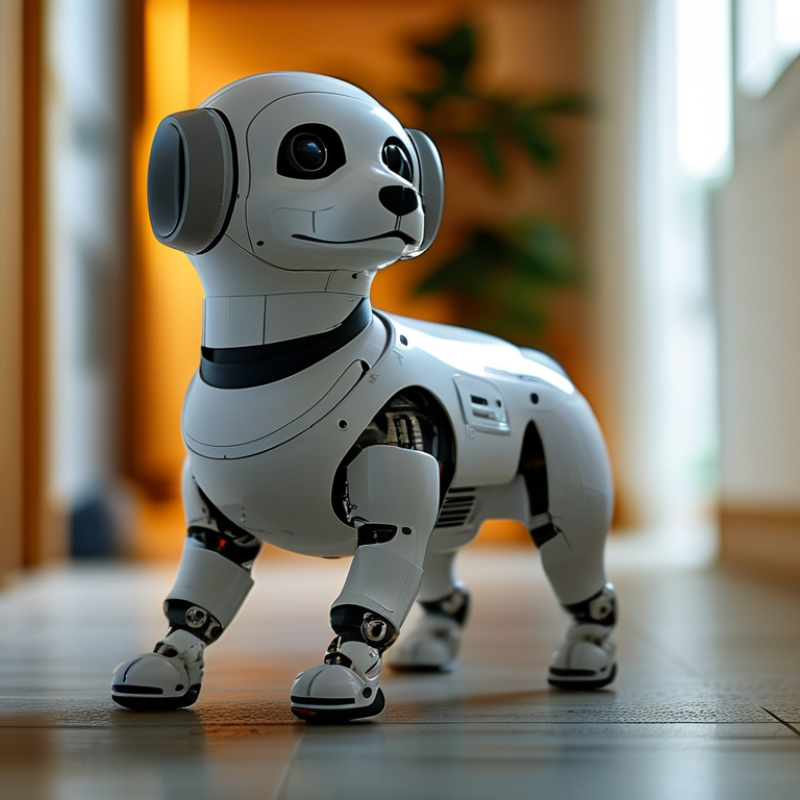
Choosing the best robot dog starts with your property and daily routine. A large yard needs longer movement coverage and reliable navigation around uneven ground. A small home may need quieter operation and simple scheduling. Measure doorways, steps, garden edges, and narrow passages before comparing features. A robot dog should fit your property, not dominate it.
Think about when you are away. Can it patrol after sunset, return to its charging station, and send clear alerts when something changes? Check battery performance, weather resistance, camera clarity, and obstacle detection. Privacy also matters. Prefer clear data controls, secure software updates, and local storage options when available. During a home trial, place a chair, plant pot, and delivery box along its route. Observe how it reacts.
Your routine deserves equal attention. If you work from home, choose quieter movement and flexible patrol hours. If pets or children share the space, test recognition around moving bodies and sudden sounds. No sensor reads every situation correctly. My own checklist would overvalue advanced tracking and overlook maintenance time. Cleaning wheels, checking sensors, and updating settings can become weekly tasks. A dependable model should offer useful alerts without demanding constant supervision. Keep a manual inspection habit, because technology can miss a low object, a poor signal, or an unusual shadow.